I migliori programmi per scaricare immagini dal manga Bato nel 2026

Bato is a popular destination for manga readers who want to explore a wide variety of manga chapters online. However, if you want to save manga pages for offline reading or organize your favorite chapters into a personal collection, downloading each image individually can be tedious and time-consuming. This is especially true for chapters with dozens of pages or when you want to save images from multiple chapters.
Fortunately, image downloaders can simplify the process. In this guide, we’ll explore the best image downloaders to try for saving Bato manga images in 2026, compare their features, and explain how to use them.
1. Best Recommended Bulk Image Downloader to Download Bato Manga – Imaget
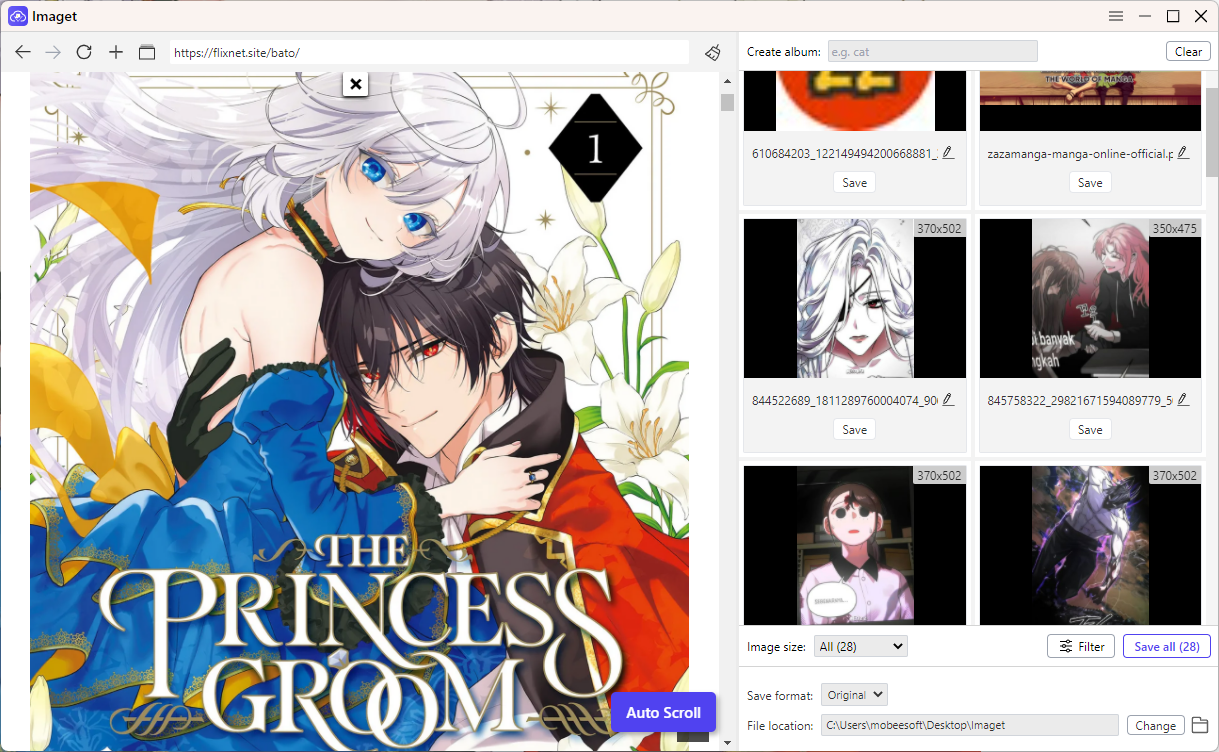
If you want to save multiple pages from a Bato manga chapter, Imaget is a useful option to try before downloading images one by one. Rather than repeatedly right-clicking individual pages, you can load a supported webpage, let the software detect available images, and select the files you want to save.
Main features of Imaget :
- Bulk image downloading: Download multiple detected images in a batch instead of saving each image individually.
- Automatic scrolling: Load additional images on supported pages through the auto-scroll feature, which may help when manga pages load progressively.
- Image filtering: Narrow the detected images using available filters to avoid collecting unrelated graphics and small thumbnails.
- Original-quality images: Save the best available image source when the webpage exposes it; original resolution is not guaranteed for every image.
- Multiple URL support: Work with image URL lists or multiple open tabs to collect images from different sources.
- Album organization: Organize downloaded images into collections for easier management.
- Cross-platform support: Use the desktop application on Windows or macOS.
Come usare Imaget to download Bato manga images:
- Scaricamento Imaget from its official website and install it on your Windows O Mac , then open the application to begin.
- Navigate to the chapter you have permission using Imaget ’s built-in browser, then use Auto Scroll if available to load more images.
- Review the detected files and apply the available filters to exclude thumbnails, icons, and unrelated images.
- Select the desired images, choose the output folder, and click “Save all” button to start the download.
2. Best Online Image Downloaders to Download Bato Manga
Online image downloaders let you extract and save Bato manga images through a web browser without installing desktop software. They can be convenient for manga readers who want to save a few pages or try downloading images from a supported Bato webpage.
Scelte popolari:
- Extract.pics: Abrowser-based tool designed to extract images from supported webpages and display detected results for review.
- Salvataggio immagini online : Another browser-based option to consider for saving images from supported webpages.
- ImgDownloader: A web-based image downloading option that you can evaluate for supported image pages
How to use an online image downloader to download Bato manga images:
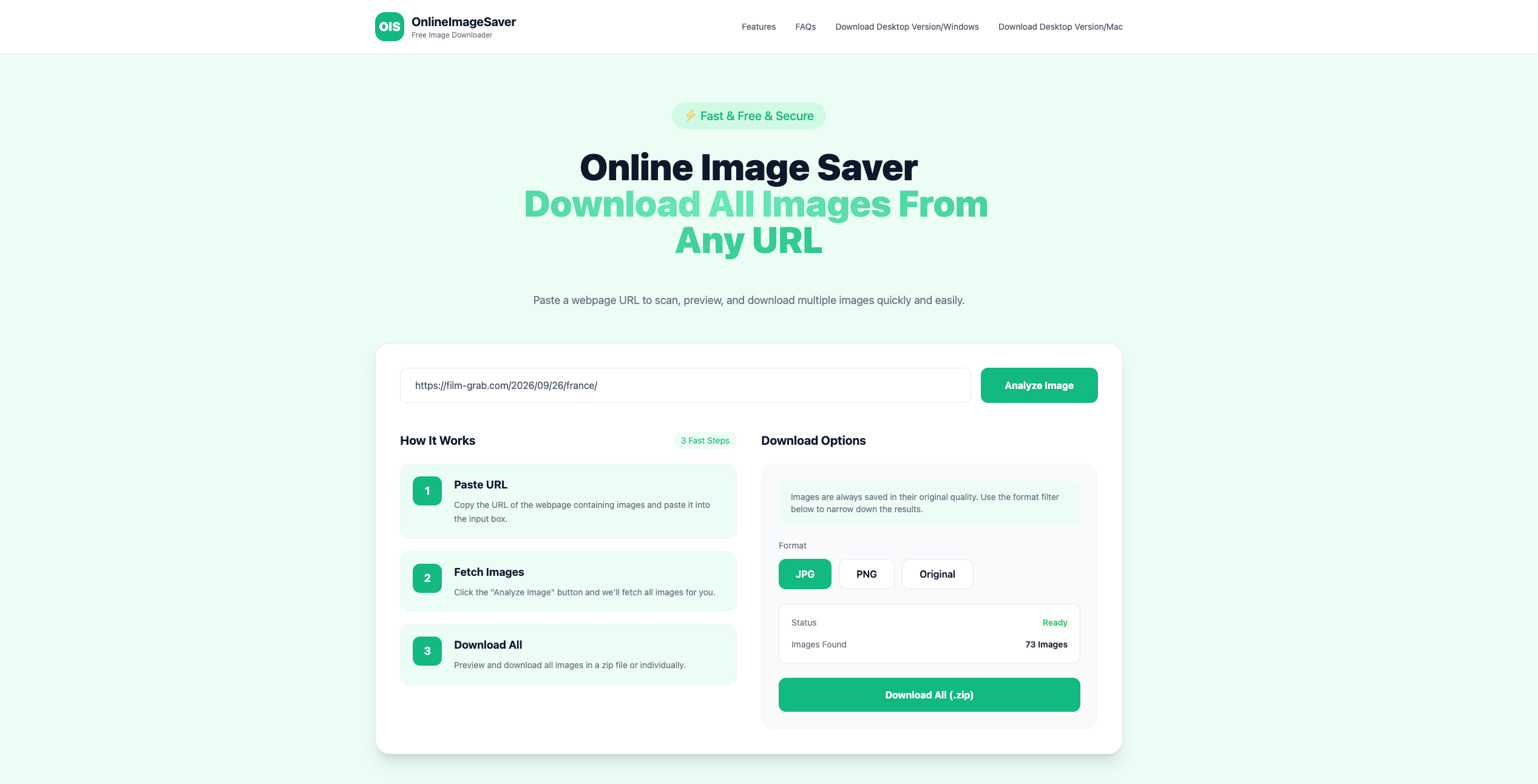
- Copy the URL of the Bato manga page containing the images, then open an online tool like OnlineImageSaver and paste the URL into its input field.
- Click to start scanning and review any detected images from the Bato page URL.
- Download individual images or select desired images and download them in bulk.
Professionisti:
- No desktop software installation required.
- Provides image previews before downloading.
- Makes it easier to select specific images from detected results.
- Useful for occasional image extraction.
Contro:
- May not detect manga pages loaded dynamically as you scroll.
- Compatibility with Bato pages is not guaranteed.
- Large chapters may require additional sorting and selection.
3. Best Image Downloader Extensions to Download Bato Manga
Browser extensions let you detect and select images directly from a webpage. They are convenient for readers who prefer staying in Chrome or another supported browser.
Scelte popolari:
- Imageye – Image Downloader: A popular extension helps users inspect, filter, and download images from supported webpages.
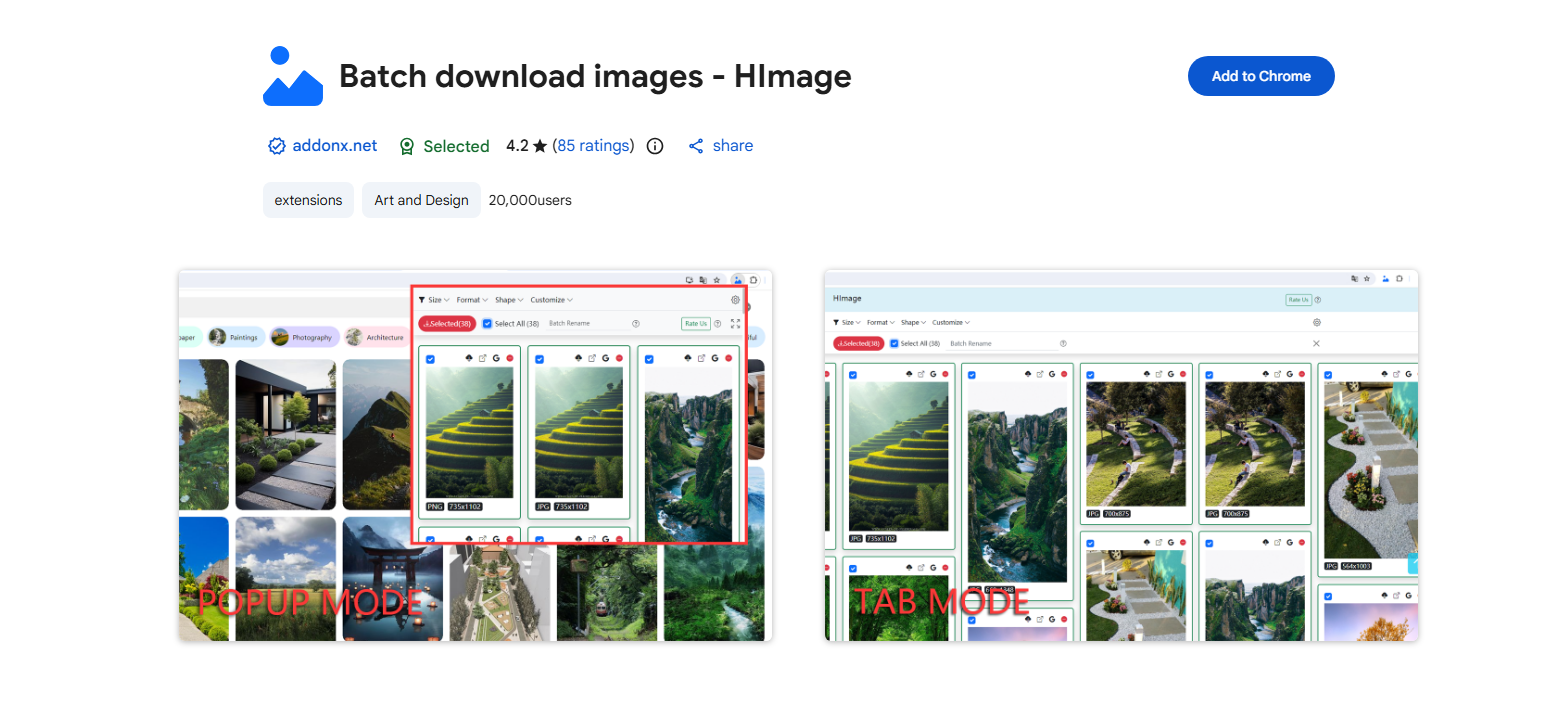
- Bulk Image Downloader – HImage: Another browser extension for viewing images detected on the current page.
- Download All Images: A tool designed to detect multiple images on a webpage and provide filters for reviewing the results.
How to use an image downloader extension to download Bato manga images:
- Install a preferred extension like HImage from the official browser store.
- Open the relevant Bato manga page, then click the HImage icon to activate the extension and scan the webpage.
- Review the detected images, apply filters, and download the desired files.
Professionisti:
- Convenient image previews and selection.
- Filtering helps remove small or irrelevant images.
- Supports individual and bulk image downloads.
- Integrates directly with the browser.
Contro:
- May miss manga pages that have not loaded yet.
- Some detected images may be thumbnails or unrelated graphics.
- Large image collections may still need significant manual sorting and checking.
4. Which type of downloader should you choose?
| Tool type | Il migliore per | Main limitation |
|---|---|---|
| Desktop software such as Imaget | Large collections and organized batch downloads | Richiede installazione |
| Online image downloaders | Occasional downloads without installing software | Compatibility and batch features vary |
| Browser extensions | Quick image detection while browsing | May miss unloaded or restricted images |
5. conclusione
Downloading manga pages manually can become tedious when you want to save an entire chapter. Online image downloaders are convenient for occasional tasks, and browser extensions make it easy to inspect images directly in your browser. However, both approaches can struggle with long chapters, dynamically loaded content, and image selection.
Imaget is our recommended bulk image downloader to try if you want a more organized way to collect images from supported webpages. Its batch downloading, automatic scrolling, filtering, and album-management features can reduce repetitive work and make large image collections easier to manage.
- Come scaricare screenshot di film da FilmGrab?
- Panoramica dell'estensione per Chrome Bulk Image Downloader: come utilizzarla per i download in batch
- TurboImageHost Downloader per Chrome: come scaricare immagini facilmente
- Come scaricare le immagini da Wildskirts?
- Come estrarre risorse dai siti web: 5 metodi semplici
- Come scaricare immagini da Danbooru?
- Come scaricare screenshot di film da FilmGrab?
- Panoramica dell'estensione per Chrome Bulk Image Downloader: come utilizzarla per i download in batch
- TurboImageHost Downloader per Chrome: come scaricare immagini facilmente
- Come scaricare le immagini da Wildskirts?
- Come estrarre risorse dai siti web: 5 metodi semplici
- Come scaricare immagini da Danbooru?